CSV ( or Comma-separated values file format) represents a set of file formats used to store tabular data in which numbers and text are stored in plain textual form that the user can read in a text editor. This product also allows you to import contacts from this file format.
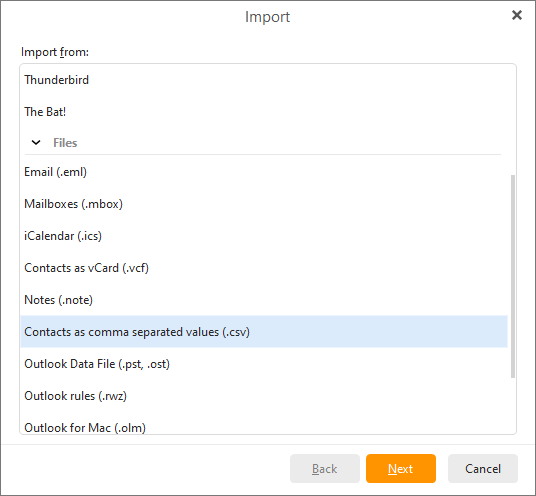
To import contacts from .csv files select File -> Import in the main menu:
Now choose the option Import contacts from .csv file and then click on Next>
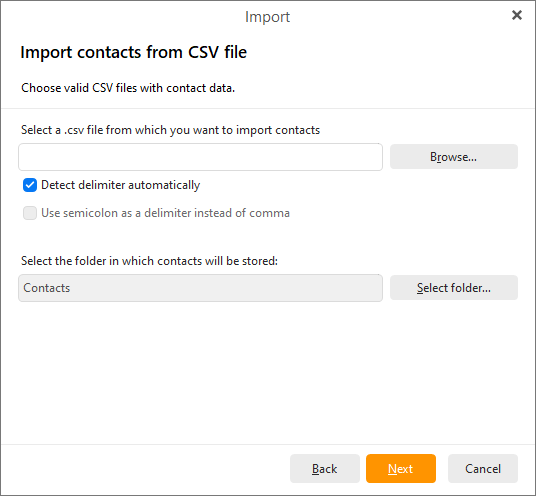
Now choose the .csv file from which you would like to import contacts by clicking on the Browse... button.
As you can see, this application also allows you to choose different types of delimiter - choose between two options Detect delimiter automatically for automatic detection of delimiter or the second option Use semicolon as a delimiter instead of comma.
Click on Select folder... next to the second address bar to select the folder in which the contacts will be stored.
Click on Next to finish the process of importing.